
Scattered spreadsheets and chat approvals make HR data hard to trust. Learn how an HRIS keeps employee records accurate, secure, and ready for Labour Act inspections, and how to migrate without breaking payroll.
Can your HR team say, within five minutes, how many permanent employees you have across every branch, who is still on probation, and whose leave balance looks wrong?
If answering means opening three Excel files and phoning a branch manager, your HR data has outgrown the way you store it.
An HRIS fixes that by consolidating all employee records, attendance entries, leave balances, and salary details into a single system. Your team enters HR data once, the right people update it, and anyone with permission finds it in seconds instead of rebuilding it from scattered files.
This guide covers where that shift pays off for Bangladeshi businesses and how to make it without breaking your next payroll run.
The HR Data a Bangladeshi Business Has to Keep Track Of
Most companies underestimate how much HR data they hold until an auditor, a bank, or a labour inspector asks for it. The data falls into a few groups, and each one feeds the others.
Employee records: name, contact and emergency details, national ID information, designation, department, branch, joining date, and probation status.
Contracts and documents: appointment letters, ID cards, service records, warning letters, and certificates.
Attendance, shifts, and leave: daily punches, shift rosters, leave balances, and approvals.
Payroll data: gross pay, deductions, tax, bonuses, bank details, and payslips.
Recruitment data: applicant CVs, interview notes, and offer letters.
Performance and training data: appraisals, course completions, and certificates.
These groups depend on each other. A leave approval changes the salary calculation, a probation date triggers a confirmation decision, and a hired candidate becomes an employee record.
Headcount and turnover records also feed workforce planning. Errors in your records, therefore, end up in your budget and hiring decisions.
Where HR Data Breaks Down When HR Runs on Spreadsheets and Chat Apps
In many Bangladeshi companies with a head office and branches, you will see the same pattern. Each branch keeps its own attendance sheet, and the head office re-types the totals into the salary file.
Spreadsheets work at a small scale, but they fail once several people edit the same information. These are the usual failure points:
Several versions of one file. The head office and each branch keep their own copy, and nobody is sure which is current.
Approvals that never reach the record. A leave request approved over chat or a phone call may never be logged.
Attendance and payroll are kept apart. Someone compiles attendance by hand and re-types it into the salary sheet, so one mismatch means a wrong payment and an argument.
Documents in personal folders. When an HR executive leaves, appointment letters and warning notices can leave with them.
No trail of changes. A salary figure changes, and no one can say when, by whom, or why.
Before you buy any software, list every spreadsheet, shared folder, and chat group where employee information lives. That list becomes the scope of your migration.
How an HRIS Keeps HR Data in One Record per Employee
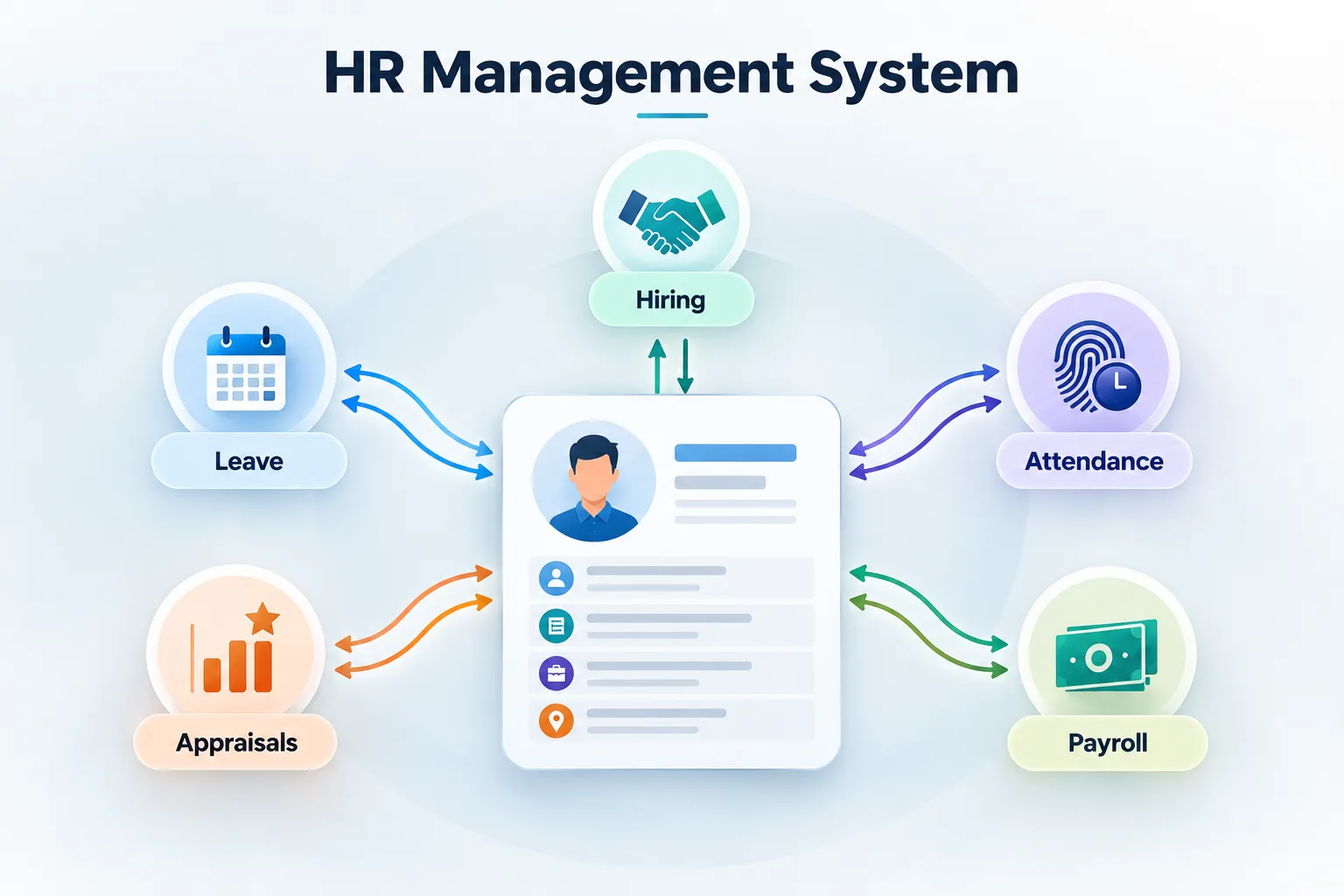
An HRIS builds one profile for each person, and every other HR function reads from or writes to that profile. Hiring creates it. Update attendance and leave. Payroll reads from it, and appraisals add to it.
The practical benefit is that a change made once appears everywhere it matters. If an employee's designation, bank account, or branch changes, payroll, leave rules, and reports all see the new value.
The lifecycle runs like this:
The hiring stage creates the profile for the accepted candidate.
Attendance and shift data are attached to the profile daily.
Leave requests and approvals adjust the balance.
Payroll calculates pay from attendance, leave, and salary terms.
Appraisals and training records accumulate over the employee's tenure.
Attendance is where manual re-entry hurts most, so it helps if the system can take punches straight from biometric devices. Shomvob's HRIS integrates with biometric attendance devices, according to its product page.
Before you configure anything, decide which fields are mandatory on every profile. Missing joining dates and bank details are the gaps that cause the most trouble later.
Why Does HR Data Entered Once Have Fewer Errors?
Many HR data errors come from entering the same information more than once. An HRIS removes many of those re-entry points, and it adds checks that a spreadsheet can't enforce:
Mandatory fields stop a profile from being saved half-complete.
Format checks catch malformed dates and duplicate ID numbers.
Approval workflows record who approved a leave or requisition request and when.
Self-service lets employees update their own contact details instead of routing every change through HR.
Cleaner data at the source means fewer corrections before each salary run. It also means fewer disputes, because the employee and HR are looking at the same record.
Assign an owner to each data field. Decide who can edit salary, who can edit address, and who can only view.
Protecting Sensitive HR Data With Role-Based Access and Activity Logs
HR data includes salaries, national ID details, bank accounts, and disciplinary notes. Not everyone should see all of it, and a shared Excel file gives you very little control over who does.
An HRIS can limit access by role, and four controls matter most:
Role-based permissions. A branch manager sees their own team, not company-wide salaries.
Activity logs. You can see who viewed or changed a record.
Backups and export. Your data survives a lost laptop and can leave with you if you change vendors.
Access removal at exit. When someone leaves, their login closes the same day.
Write down who should see what before you set up permissions. It is easier to design roles on paper than to untangle them after launch.
The law has also moved. Bangladesh's Personal Data Protection Act, 2026, now sets the country's framework for protecting personal data.
That matters to HR because attendance devices capture biometric data and payroll holds bank details. Ask your legal adviser what the Act requires of employers and when those obligations apply.
Keeping HR Data Ready for Labour Act Record-Keeping and Inspections
The Bangladesh Labour Act 2006 and the Labour Rules 2015 require employers to keep a few core records for their workers. An inspector can ask to see them at any time during working hours.
The main ones are:
Appointment letter and ID card for every worker
Service book with each worker's employment details, wages, and leave
Register of workers, kept in Bangla with Gregorian dates
Leave register
The Rules accept digital versions of these records, as long as you can print them. That is where an HRIS helps, because it keeps the details in one place and can produce them on request.
Check that your system can print each record in the required format, and ask your legal adviser which ones apply to your business.
Businesses that outsource salary processing still own these records. Keep that in mind when you compare payroll outsourcing companies in Bangladesh.
What to Check Before Choosing an HRIS for Bangladesh
Many HRIS products are built for US or European rules, and the mismatch shows up in payroll, language, and devices. Use this checklist when you compare options:
Bangla and English support for both the interface and printable records.
Local payroll logic: deductions, tax handling, bonus schedules, and bank-file formats for the banks you use.
Attendance fit: biometric devices, multiple branches, and shift patterns such as retail, delivery, or factory rosters.
Bulk import and full export, so you can load Excel data in and take your data out.
Role permissions and activity logs.
Reports management will use: headcount, leave, attrition, and payroll cost by branch.
Local support and BDT pricing, with a response time in writing.
Also, decide whether you will run HR yourself at all. Whether to outsource HR or keep it in-house determines who owns and maintains your HR data after the system goes live.
Moving HR Data From Spreadsheets to an HRIS Without Breaking Payroll
Migrations usually fail because of messy data, not because of the software. A careful sequence protects your next salary run:
Inventory every source. Use the list of files, folders, and chat groups from earlier.
Name one owner and fix the mandatory fields. A shared responsibility means nobody owns the data.
Clean before you import. Remove duplicates, standardize designations, and fill in missing joining dates and bank details.
Start with one branch or department. Problems are cheaper to fix in a small group.
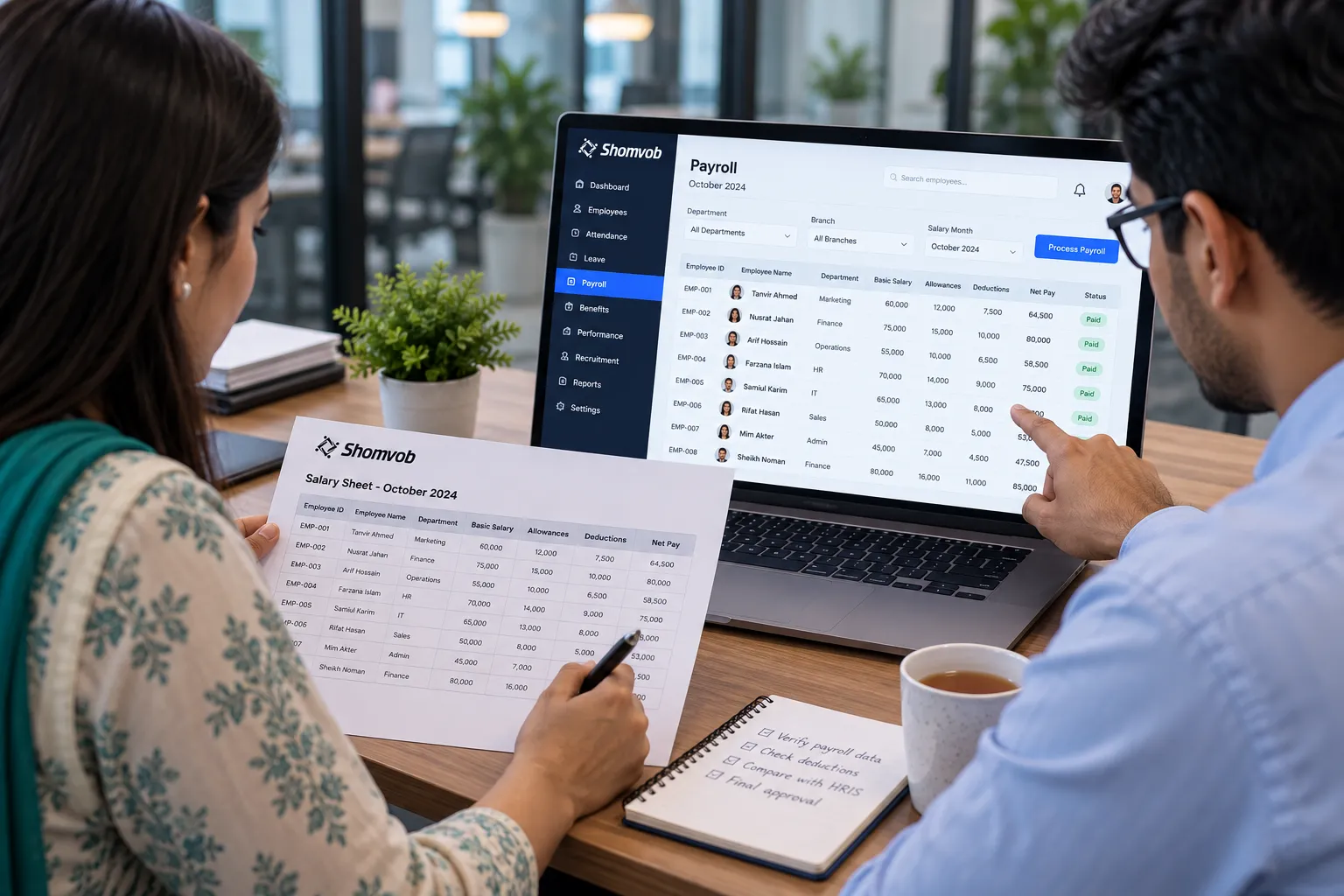
Run payroll in parallel for one cycle. Compare the system's result with your current sheet and explain every difference.
Train the people who will own tasks. That means branch managers approving leave and employees updating details.
Retire the old spreadsheets. Make them read-only so nobody keeps editing a second version.
Where Shomvob's HRIS Fits
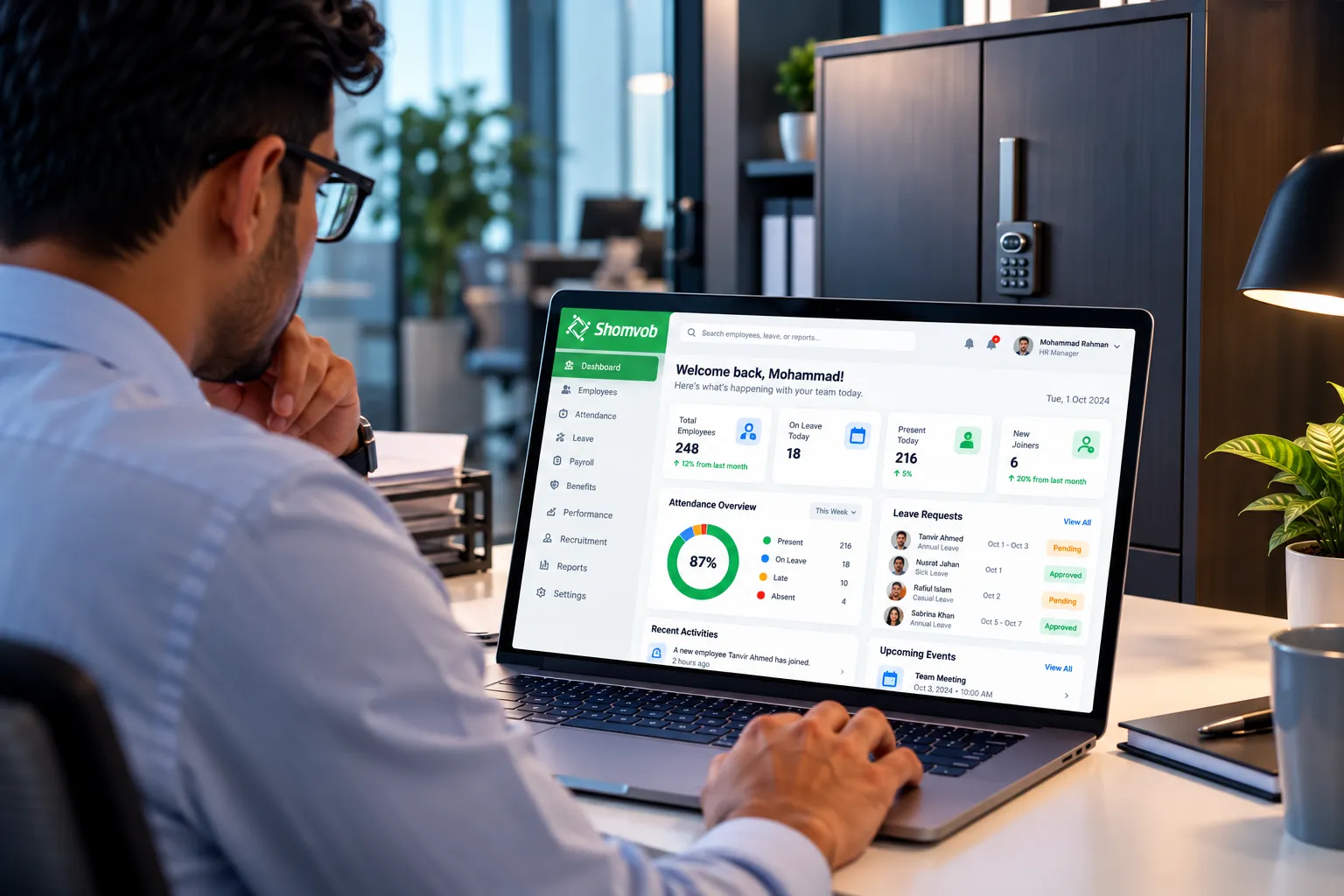
Shomvob's HRIS brings attendance, leave, payroll, requisitions, and appraisals into a single dashboard for Bangladeshi employers. Its product page lists secure data storage, controlled access, and activity tracking.
The team says it helps employers migrate from spreadsheets or older HR software in days, not months. Every employer gets a dedicated support manager, in-app chat support, and access to Shomvob Academy for training.
New employers get a 30-day free trial with access to recruitment, HRM, attendance, and payroll, and no credit card is required.
Employers who would rather hand payroll over entirely can look at Shomvob's managed staffing and payroll service.
Under the service, Shomvob manages workforce operations, including payroll, attendance tracking, and compliance-related processes on the employer's behalf.
Choosing an HRIS When Your HR Data Has Outgrown Spreadsheets
An HRIS earns its cost when your HR data lives in more than one place, when your records must hold up under scrutiny, and when someone is ready to own the system afterward.
For Bangladeshi HR managers, founders, and business owners, the decision comes down to how scattered your records are, how much payroll and compliance risk you carry, and whether you can commit to an owner and a migration plan. Keep these points in mind:
If employee data is stored in multiple files or chat groups, inconsistency is already costing you time.
The first visible gains usually come in attendance, leave, and payroll, because that is where retyping happens most often.
Labour Act records should be producible on demand, so confirm the requirements with a legal adviser before you configure the system.
Without a named data owner, the new system will drift back into the old habits.
If you want to see how your own employee records would sit in an HRIS, talk to the Shomvob team.
Frequently Asked Questions
What counts as HR data?
HR data covers everything a business records about the people it hires and employs. That includes identity details, contracts, attendance, leave, pay, performance, and training, plus applicant information from hiring.
What is the difference between an HRIS, an HRMS, and an HR software suite?
The terms overlap, and vendors use them loosely. An HRIS centers on storing and managing employee records. An HRMS usually adds attendance and payroll, and broader suites add hiring, performance, and learning. Check the feature list instead of relying on the name.
Can a small business with a few dozen employees use an HRIS?
Yes, if its records are already spread across several files or approvals happen outside any system. Size matters less than how many people edit the data and how often it changes.
Is HR data safe in an HRIS?
It depends on the controls. Ask a vendor about role-based access, activity logs, backups, where data is stored, and how access is removed when someone leaves.
Can an HRIS work with biometric attendance machines?
Many can, but support varies by device model. Ask for the list of compatible devices and test with your own before committing.
How long does it take to move from Excel to an HRIS?
It depends on how clean your data is and how many branches you have. Clean data and a single owner shorten it, and a parallel payroll run adds one cycle, which is worth it.